Professional Spanish Presentation Skills That Build Confidence
Prepare one clear message, memorize a short Spanish script for your opening, transitions, and closing, and run three timed rehearsals that pair with…

Prepare one clear message, memorize a short Spanish script for your opening, transitions, and closing, and run three timed rehearsals that pair with targeted grammar drills. That single sequence, more than any slide template or motivational pep talk, is what separates a shaky presentation from a polished one.
You do not need fluency in every corner of Spanish grammar to walk onto a stage with authority. You need a tight message, a handful of memorized phrases you can deploy under pressure, and rehearsal reps that expose exactly where your grammar breaks down when you speak instead of write.
Here is what to grab in the next hour:
- A one-page script template with sections for opening, roadmap, three body points, and conclusion.
- Five opener phrases in formal Spanish you can adapt to your topic.
- A format fallback: export your slides to PDF so a software glitch never derails you.
Pro Tip: Record your first rehearsal on your phone before you touch a single slide. You will hear your real grammar gaps faster than any checklist can predict them.
Key Takeaways
Confident professional Spanish presentations come from pairing a message-first structure with timed rehearsals and targeted grammar drills, not from memorizing more vocabulary.
| Point | Details |
|---|---|
| Message before slides | Define one takeaway and three supporting points on paper before opening any software. |
| Rehearse to 80% of your time | Timed runs that hit roughly 80% of your allotted slot leave margin for Q&A and translation lag. |
| Memorize connective phrases | Openers, transitions, and closings matter more under pressure than advanced vocabulary. |
| Record and review every run | Watch your rehearsal footage to catch filler words, avoided grammar, and pacing issues. |
| Drill the specific gap, not general grammar | Platforms like Gramanator turn a recorded weak spot into a short, targeted workout before your next run. |
Table of Contents
- How Do You Structure a Professional Spanish Presentation?
- What Spanish Phrases Do You Need for a Professional Talk?
- Which Presentation Software Fits Your Spanish Delivery?
- How Should You Use Your Voice and Body When Speaking Spanish?
- What Rehearsal Method Actually Improves Spanish Delivery?
- What Should You Check Before Presentation Day?
- How Targeted Grammar Practice Speeds Your Rehearsal Timeline
- Where to Learn More and What to Try Next
- Frequently Asked Questions
- Sources
How Do You Structure a Professional Spanish Presentation?
Start by naming your single takeaway in one sentence, then pick three points that support it. Everything else gets cut. This message-first approach keeps your Spanish simpler too, since you are not scrambling to translate tangents on the fly.
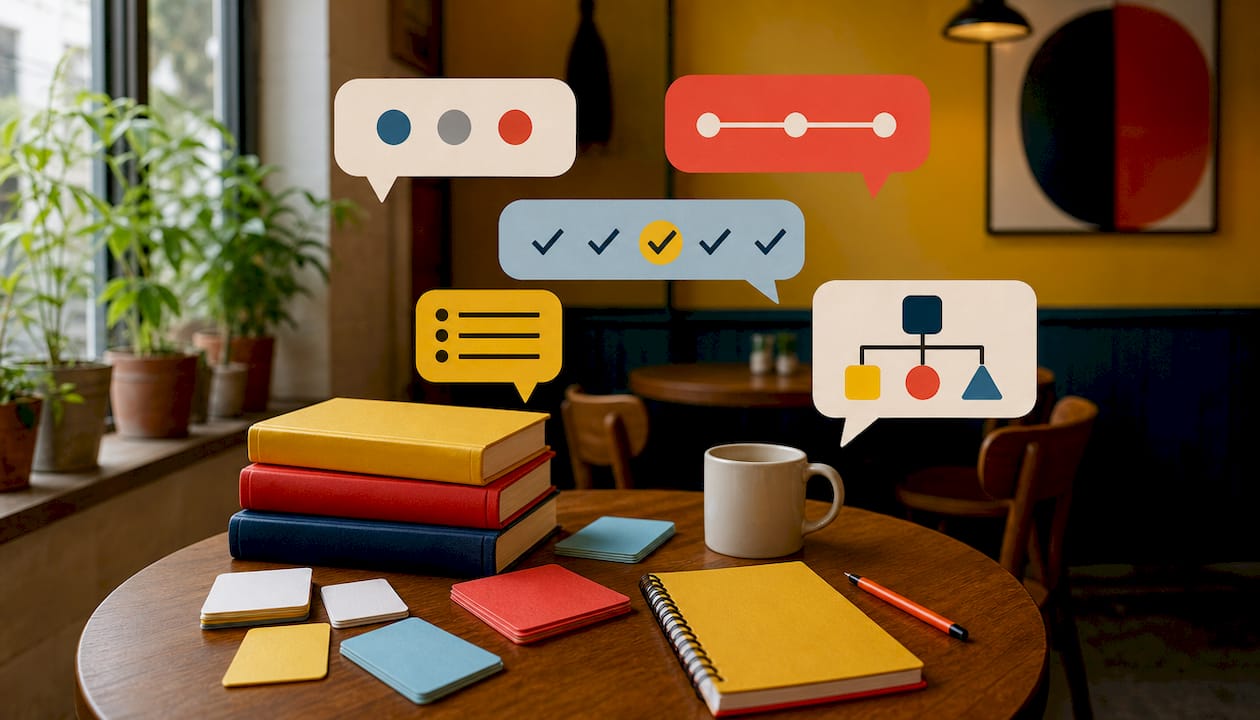
The classic roadmap structure works well for most professional talks: state what you will cover, explain why it matters, walk through how it works, then close with a clear conclusion. For persuasive talks, a short story arc often lands better than a list of facts, since it gives your audience a narrative to follow even if a few words slip past them.
Timing matters more in Spanish than in your native language, because pauses for word retrieval eat minutes fast. Rehearse to fit roughly 80% of your allotted time, leaving margin for translation lag and questions.
- Define one takeaway and three supporting points before writing a single slide.
- Use explicit signposting: “Primero...”, “En segundo lugar...”, “Para terminar...”
- Adapt the complexity of each point to how much processing time your audience actually has.
Pro Tip: Plan on paper before opening any slide software. Presentation experts consistently warn against starting with a template, since the template shapes your structure instead of your message shaping it.
What Spanish Phrases Do You Need for a Professional Talk?
Advanced learners often stumble not on vocabulary but on the connective tissue: the phrases that link one idea to the next. Memorize these and your presentation will sound structured even when your nerves are not fully under control.
Opening: “Buenos días a todos, gracias por su tiempo. Hoy quiero hablarles sobre...” Roadmap: “Voy a estructurar mi presentación en tres partes: primero..., después..., y finalmente...” Transition: “Dicho esto, pasemos al siguiente punto.” or “Esto nos lleva a...” Emphasis: “Lo más importante aquí es que...” Closing: “En resumen, lo que quiero que se lleven de esta presentación es...”
For Q&A, formal register calls for phrases like “Es una excelente pregunta” or “Permítame aclarar ese punto” before you interrupt politely with “Si me permite añadir algo...” Academic audiences tolerate more subjunctive constructions (“Es posible que esto se deba a...”) while corporate audiences often prefer direct statements. Avoid regional idioms your audience might not share.
- Rehearse the subjunctive in polite requests aloud: “Quisiera que consideraran...” trips up even advanced speakers under pressure.
- Practice formal usted conjugations separately if your daily Spanish leans informal.
- Write both scripts, opening and closing, and read them until they sound conversational, not recited.
Which Presentation Software Fits Your Spanish Delivery?
Your platform choice should support your spoken Spanish, not compete with it. Dense text on screen forces you to read instead of speak, and that kills the natural rhythm advanced learners work hard to build.
Design rules apply regardless of platform: use images over paragraphs, keep contrast high, choose readable fonts, and put one idea per slide. Slide titles should state your message directly rather than label a generic section. Typography and contrast choices affect how well a non-native audience follows you, so skip exotic fonts.
- Microsoft PowerPoint: best for corporate settings with strict brand templates; strong offline reliability and universal file compatibility.
- Google Slides: best when you need real-time collaboration with colleagues; weaker offline and less robust with complex animations.
- Prezi: best for storytelling with visual movement; steeper learning curve and less portable across formats.
- Genially: best for interactive, clickable content; requires internet access during delivery, which limits its plan B value.
- LibreOffice Impress: best for a free, PowerPoint-compatible option; occasional formatting shifts when exporting between suites.
Whatever you choose, export a PDF backup, keep local copies of any video clips, and bring both a USB drive and a cloud link. Present quantitative data on single-metric slides with the takeaway highlighted, never a dense raw table.
Pro Tip: Write a one-line cue on each slide, in Spanish, that only you can see in speaker notes. It keeps your signposting consistent even when nerves scramble your memory.
How Should You Use Your Voice and Body When Speaking Spanish?
Slow down more than feels natural. Spanish syllables move faster than English ones, and a slightly reduced pace gives your audience, and you, time to process complex grammar in real time. Deliberate pauses after a key point read as confidence, not hesitation.
Breathe from your diaphragm before speaking to reduce the shallow, rushed breathing that native-language interference often causes. Vary your pitch and volume across sentences; a flat monotone is harder to follow in a second language than in your first.
- Stand with weight balanced, shoulders relaxed, and hands free to gesture naturally.
- Hold eye contact for a full sentence with one person before shifting to another.
- Replace filler words (“eh...”, “esto...”) with a silent pause. It sounds more deliberate than it feels.
- On grammatically dense phrases, stress the key word and slow by half a beat.
Pro Tip: Run a two-minute vocal warmup before you go on: hum through a few scales, then read your opening line aloud three times, each time slightly louder than the last.
What Rehearsal Method Actually Improves Spanish Delivery?
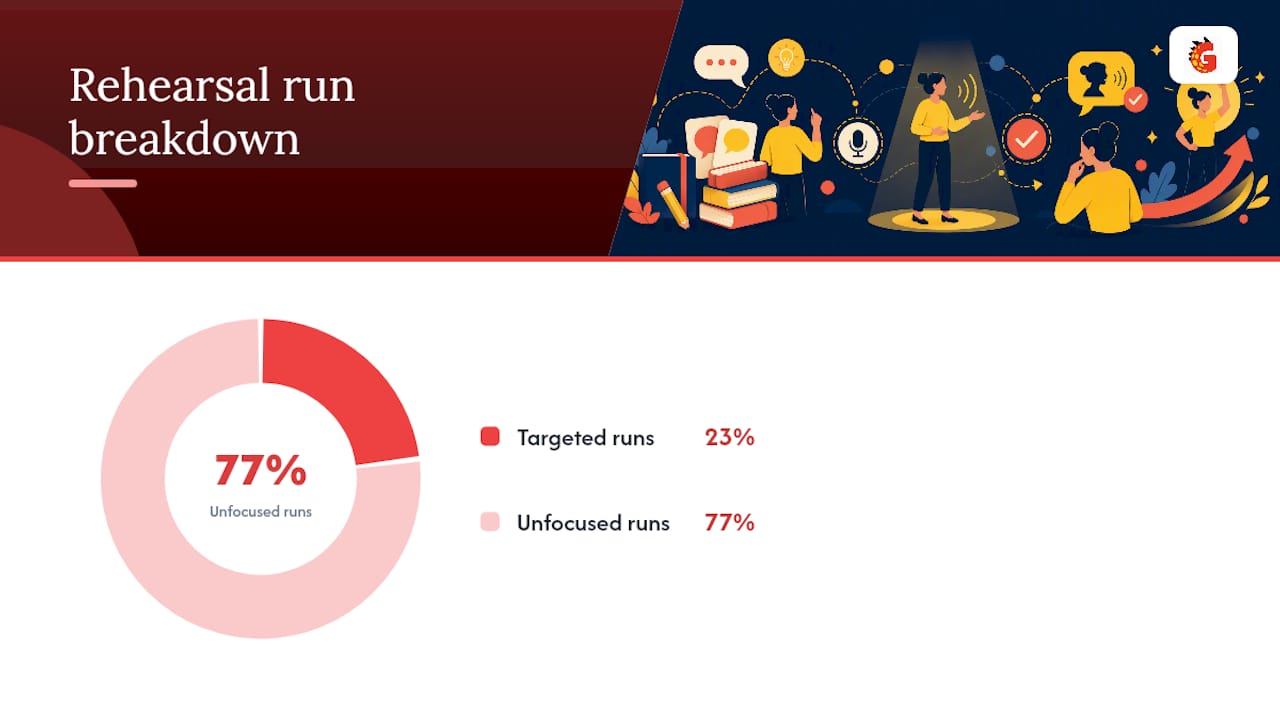
Three targeted run-throughs beat ten unfocused ones.
- Structure run: speak through the outline without slides, checking that your logic flows and your transitions land.
- Timing and visuals run: add slides and time yourself, watching for sections that run long.
- Full run with Q&A: recruit a colleague or native speaker for role-play, including interruptions and unexpected questions.
Record every run on your phone. Watch for filler words, mismatched gestures, and any grammar construction you keep avoiding, that avoidance is a signal, not a coincidence. Feedback works best as a short checklist (pace, clarity, one grammar point) rather than open-ended criticism.
The gap between knowing a grammar rule and using it under pressure is exactly what short, targeted drills close. If your rehearsal recording reveals you dodge the subjunctive every time, drill that pattern specifically before your next run, not general vocabulary.
Pro Tip: Watch your recorded rehearsal with the sound off first. Body language mismatches, like nodding while saying something firm, show up faster without audio.
What Should You Check Before Presentation Day?
- One week out: finalize your single message, draft the full script, choose visuals, and book two rehearsal sessions.
- Three days out: tighten slides to one idea each, start timed runs, drill your trickiest phrases.
- Day of: test your tech setup, print one-line prompts, hydrate, and run your vocal warmup.
- Last minute: have a 30-second micro-intro memorized and a fallback line ready for any question you cannot fully answer.
If you are running long, cut a supporting example before you cut your conclusion.
How Targeted Grammar Practice Speeds Your Rehearsal Timeline
The gap between reciting a script and speaking with instinct is grammar automaticity, and that is where most rehearsal plans stall. You can memorize a perfect opening line, but the moment a question forces you off-script, your grammar has to work on reflex, not recall.
Gramanator builds that reflex through structured drills instead of passive review. Three things make it useful before a presentation deadline: short, targeted workouts on the exact grammar pattern tripping you up (subjunctive requests, formal usted forms, verb conjugation under pressure), instant feedback that flags the error the moment you make it, and progress tracking that shows which patterns still need reps before you walk on stage. Pair a 15-minute Gramanator session with each rehearsal run, and the constructions you kept avoiding in your recording start showing up correctly, without conscious effort. If your next presentation is a week away, try a focused grammar workout tonight built around the one pattern your last rehearsal exposed.
Where to Learn More and What to Try Next
For deeper technique, read El Arte de Presentar and the Universidad de Alcalá presentation guide. For daily speaking practice habits, see this fluency routine guide. To close specific grammar gaps fast, explore Gramanator’s approach to fluency.
Frequently Asked Questions
How long should a professional Spanish presentation script be?
Do I need native-level Spanish to present professionally? No. A clear structure, memorized transitions, and confident delivery matter more than eliminating every accent or minor grammar slip.
What is the biggest mistake advanced learners make in Spanish presentations? Writing dense, sentence-heavy slides that force you to read instead of speak, which flattens your delivery and increases translation lag mid-sentence.
How many times should I rehearse before presenting in Spanish? Three focused run-throughs, one for structure, one for timing and visuals, and one full run with Q&A, cover most of what a live audience will demand.
Should I memorize my entire Spanish presentation word for word? Memorize your opening, transitions, and closing exactly. Leave your body points flexible so you sound natural rather than recited.
Sources
- El Arte de Presentar (Gonzalo Álvarez Marantón)
- Presentaciones Eficaces (OCW Unican)
- Presentaciones orales con PowerPoint para ‘español avanzado’ (CVC Cervantes)
- Best Ways for Professionals to Train in Spanish Language Skills Quickly (Simon & Simon International)